The Character Info window allows you to enter, review, and edit information—such as Name, Role in the story, Description, Gender, etc.—about a character. To call up the Character Info window, use one of these methods from the Character List window:
• Click a character’s icon to select it, then press the Character Info tile.
• Click a character’s icon to select it, then select Info under the Character Menu.
• Double-click on the character’s icon.
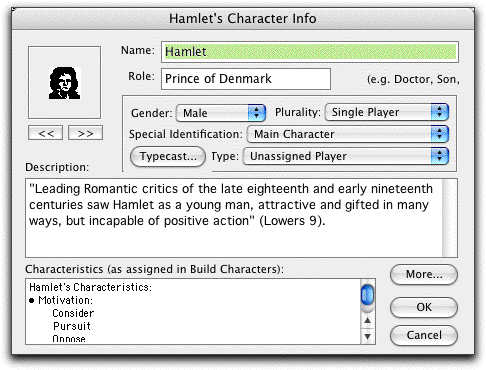
Character Info Window
The Character Info window also allows you to assign or change a character’s icon. Clicking on the << and >> buttons beneath the image in the upper left hand corner of the window cycles through the available icons. Choose an icon that reminds you of your character.
(Note: It is easier to assign icons to your characters in the Casting window.)
Characteristics list
Below the Character Description text box is a non-editable list of the Characteristics you assigned to the character in the Build Character window.
More. . . button
Pressing the More… button displays a window where you can enter more detailed information about a Character. This includes an expanded description of the character’s Role, a description of the character’s Function in the story, and a description of the type of Activities with which your character is involved in the story.
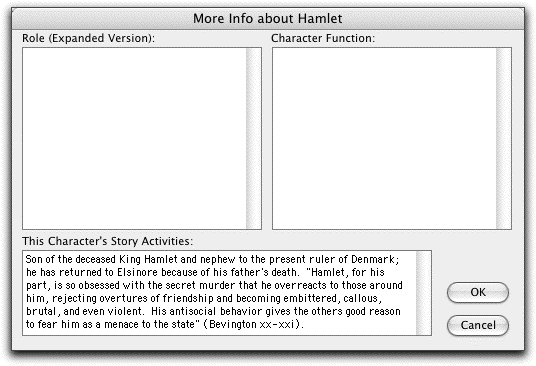
More… Character Info Window
Closing the More… Character Info Window returns you to the character’s Info Window.