• |
List Characters in Each Scene—If checked, lists all the characters (whether they have dialogue or not) directly underneath each Scene Heading in the breakdown. Listing options are: |
• |
Sorted Alphabetically—If checked, lists characters in each scene alphabetically. |
• |
Script Order—If checked, lists characters in each scene in the order in which they appear. |
• |
Speaking Characters First—If checked, lists characters in each scene in the order in which they speak in that scene, followed by character with no dialogue. |
• |
User List Order—If checked, lists characters in each scene with those from User Lists first, then all others alphabetically. |
• |
List Non-Speaking Characters—If checked, lists characters who are mentioned in Action or Dialogue, but who have no dialogue of their own. Unchecked, only characters with dialogue are listed. |
• |
Each Group on New Page—If checked, starts a new page for each new group. |
• |
Print Tagged Items—If checked, prints—or exports—all tagged items along with the other breakdown information. |
• |
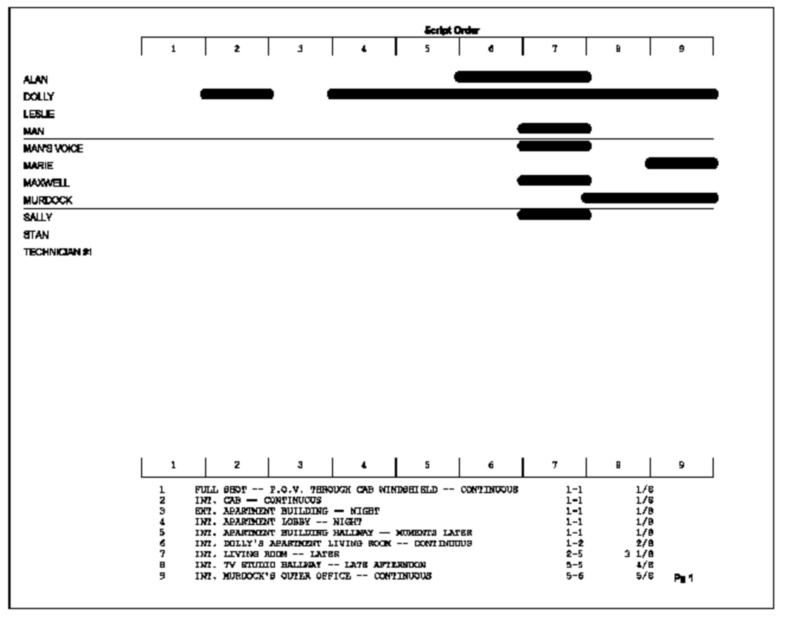
Graph Breakdown—If checked, prints the breakdown as a chart instead of as text. All the same information is included. A sample graphic breakdown follows: |